Helm in Kubernetes | Helm and helm Charts Explained!

I am here just to learn and explore. I work on the Backend technologies and currently exploring k8s. If you have any interesting discussion about tech in mind, then let's connect. Will be more than happy to discuss and learn together!
In this article, we shall learn:
- Main concepts of Helm
- Understanding the basic common principles as Helm changes a lot in versions
- How and when to use them
Helm is a package manager for Kubernetes. You can treat it like yum/apt/homebrew for Kubernetes. It's a convenient way for packaging collections of Kubernetes yaml files and distributing them in public or private repositories. All of this goes by definition. Let's understand a scenario where helm charts' use can clearly be manifested. Imagine there is a cluster with your service deployed. Now you want an Elastic Stack Logging to be deployed in the same cluster to aggregate your logs. You'd have to create various components like the pods, the services etc. Deploying something like an Elastic stack log is a very common practice, isn't it? Why waste time creating and doing the same set of tasks that someone else has already done? This is where helm comes into picture. Helm allows you to compile the set of yaml files and store them in a repository so that someone else, with correct access rights can might as well use them. This bundle of yaml files is called helm chart. Using helm chart, you can create your own bundle of helm and bundle and send that to some repository. So if you think you need some deployment inside your cluster then you can look up either in the helm repository. There are 2 ways of searching though:
- using helm command:
helm search <keyword> - helm Hub or other repositories
There are two types of registries to store helm charts, namely: public and private. The deployments in public repositories are available for everyone to use whereas the charts inside the private repositories are for organizations that could be used within a set of people.
Features of helm:
- Templating Engine There are scenarios where there are multiple microservices of a particular application and they are deployed in the same cluster. The only difference in their yaml configurations is the name of the app, the docker image that they use or the pod name. In such scenarios, it makes absolute sense to use helm to deploy a common blueprint so that they can be used by all the microservices and the values that change in the configurations can be replaced with a placeholder.
 The external configuration placed inside the placeholder can be fetched from another yaml file namely, values.yaml which stores data in the form of key-value pair and contains values that you are gonna use inside your templates.
.Values is an object that is formed using the values furnished in the values.yaml and also using the --set flag. So now instead of creating multiple configuration files for each of the microservices, we can use one the template files and replace the values dynamically using values.yaml. This is especially useful in the CI/CD pipeline in your application where in your build pipeline you can use the template yamls and replace the values on the fly before deploying them.
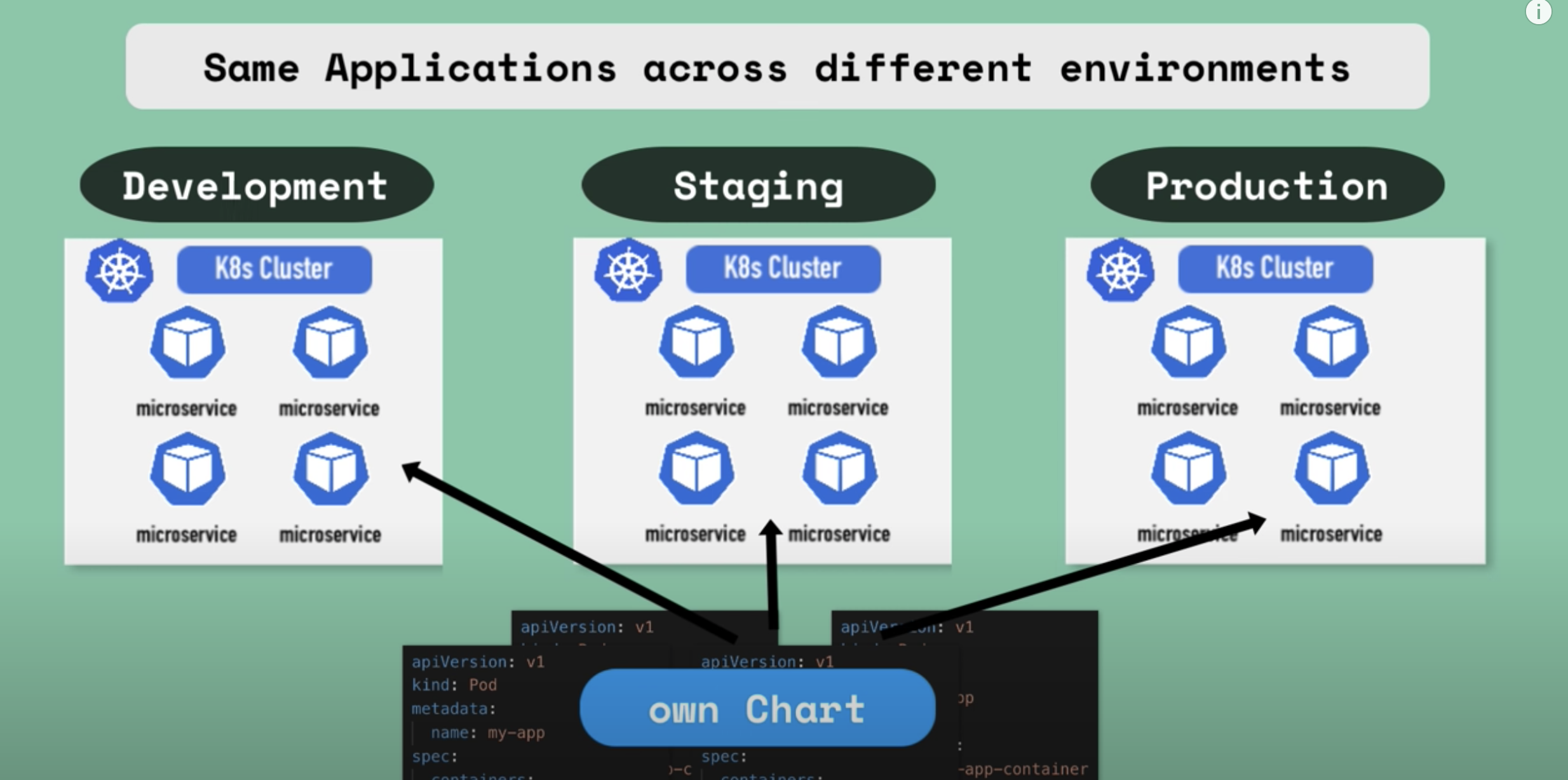
- Same application across different environments When your same application is to be tested in different environments/Kubernetes clusters like the development, staging and the production then you don't have to deploy the same set of yaml files in each environment. You can instead create your own helm chart and package them and use them to re-deploy your application in different clusters with a single command.
Helm Chart Structure
 Top level defines the name of the chart and inside it there are following:
- chart.yaml: contains all meta information about the chart like name, version, dependencies needed etc.
- values.yaml: place where values are configured for the template files. It contains default values which can be overidden later
- charts: if the chart depends on other charts, then they are stored here.
- templates: folder where actual template files are stored.
When you execute helm install <chartname>, to deploy those yaml files into Kubernetes, the template files will be populated with values from values.yaml producing valid Kubernetes manifests that can then be deployed into Kubernetes.
Value Injection into template files:

Release Management:
Release management in Kubernetes is provided based on its set-up. There are two types of helm versions which bring various config along with them and they are: helm version-2 and helm version-3 respectively. Helm version 2 comes along with 2 parts

Whenever you execute helm install <chartname>, helm client sends a request to the helm server/ tiller along with all the yaml files that it brings along. Tiller then uses all the yaml files to create the components inside the cluster inside which the tiller is present.
The way the tiller works is that whenever you create or update the deployment, tiller will keep a copy of each configuration that client sent for future reference, thus creating a history of chart executions. So when you execute helm upgarde <chartname>, changes will be applied to existing deployment instead of removing it and creating a new one. In case any execution goes wrong then you can rollback using the command: helm rollback <chartname> and all this is possible because of the chart execution history that tiller keeps whenever you send a request via the helm client.
This also has a downside because tiller gets so much power in hand and this raises security concerns to address.
Note: Helm 3 has no tiller at all.